
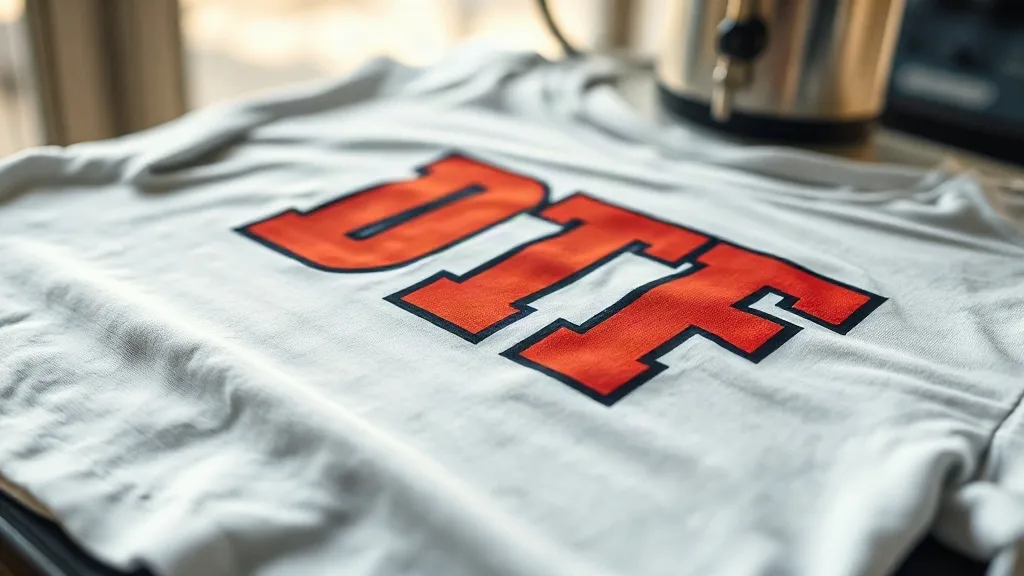
If you’ve ever peeled a dtf transfers sheet only to watch half the design stay behind on the film, you know the frustration. The good news? Flawless DTF printing isn’t about luck or magic; it’s about understanding the variables that affect adhesion, durability, and color vibrancy. In this guide, we’ll walk you through the entire process, from choosing the right materials to mastering the press, so you can produce consistent, professional results every time.
What Are DTF Transfers and Why They Matter
DTF, or Direct-to-Film, is a printing method where your design is printed onto a special film, coated with adhesive powder, and then heat-pressed onto fabric. Unlike DTG or screen printing, DTF works on almost any fabric, including cotton, polyester, blends, and even nylon. That versatility makes it a favorite for small shops and hobbyists alike. But to get the most out of dtf, you need to pay attention to the details.
The Core Components: Film, Powder, and Ink
Think of DTF as a three-legged stool: film, powder, and ink. If one leg is weak, the whole thing wobbles. Here’s what you need to know about each.
Film: The Foundation
Not all films are created equal. Cheap films may save you a few cents per sheet, but they often cause headaches like curling, poor ink absorption, or inconsistent peeling. Look for films that are specifically designed for DTF printing; they have a special coating that holds the ink and releases it cleanly when pressed. Also, consider the film’s thickness: thinner films conform better to textured fabrics, while thicker films are more forgiving during handling.
Powder: The Adhesive That Makes It Stick
DTF powder is a thermoplastic adhesive that melts under heat and bonds the ink to the fabric. The particle size matters: finer powders (around 80-200 microns) give a softer hand feel and are ideal for detailed designs, while coarser powders (200-300 microns) provide stronger adhesion for heavy fabrics. Always store powder in a dry, airtight container; moisture is its enemy.
Ink: The Color Carrier
DTF inks are pigment-based and need to be shaken well before use. They’re engineered to sit on top of the film without soaking in, which is why the film’s coating is crucial. Using third-party inks that aren’t matched to your printer can lead to clogs, poor color saturation, or adhesion issues. Stick with the ink recommended by your printer manufacturer, and keep your printhead clean.
Step-by-Step: The DTF Printing Process
Now that you know the players, let’s walk through the process. This is where most problems occur, so follow these steps carefully.
1. Design and Print
Start with a high-resolution file (300 DPI is standard). Remember that DTF prints are opaque, so you don’t need to worry about background color, but you do need to mirror your design if you’re printing on the back of a garment. Load your film into the printer with the coated side facing the printhead, and print using the DTF profile for your printer. This profile controls ink laydown, which is critical for proper powder adhesion.
2. Powder Application
While the ink is still wet, sprinkle the powder evenly over the design. You can do this manually or with an automatic powder shaker. Gently shake off excess powder; you want a thin, uniform layer. Too much powder leads to a stiff, plastic-like feel; too little means the design won’t adhere. A good trick: hold the film at a 45-degree angle and tap the back to remove loose powder.
3. Curing the Powder
Melt the powder using a heat gun or a dedicated powder curing oven. The powder should turn from a matte white to a glossy, slightly translucent finish. This usually happens around 180-200°C (356-392°F) for a few seconds. Overheating can cause the film to warp, so keep the heat moving.
4. Pressing
Set your heat press to 160-170°C (320-338°F) with medium pressure. Place the garment on the press, position the transfer with the design facing up, and press for 10-15 seconds. Use a Teflon sheet or parchment paper to protect the design. Peel the film while it’s still warm (hot peel) for best results, unless your film specifies cold peel. Then, cover with parchment and press again for 5 seconds to set the print.
Troubleshooting Common Issues
Even with the best materials, things can go wrong. Here’s how to fix the most common problems.
Design Peeling Off After Wash
This usually means insufficient powder or uneven pressure. Ensure you’re using enough powder and that your press applies even pressure across the entire design. Also, check that the fabric is clean and dry before pressing; oils or fabric softeners can prevent proper adhesion.
Film Sticking to the Press
If the film sticks, your press may be too hot or you’re pressing for too long. Reduce temperature slightly and shorten the press time. Also, make sure you’re using a protective sheet.
Colors Looking Dull
Dull colors often result from expired ink or incorrect printer settings. Ensure your ink is fresh and that you’re using the correct color profile. Also, shaking ink cartridges before use can help.
Choosing the Right DTF Supplies
With so many options out there, it’s easy to get overwhelmed. Here’s a quick checklist to help you choose quality supplies.
- Film: Look for films with a consistent coating and good reviews from other users. Avoid films that feel too thin or have visible imperfections.
- Powder: Choose a powder that matches your fabric type. For stretchy fabrics, a flexible powder is better.
- Ink: Stick with OEM or reputable third-party inks designed for your printer model.
If you’re looking for reliable supplies, check out our collection of dtf transfers and accessories.
Finding Quality DTF Transfers Near You
Whether you’re a hobbyist or a shop owner, sourcing local can save time and shipping costs. Search for dtf transfers near me to find suppliers in your area. But don’t sacrifice quality for convenience; always ask for samples and test before committing to a large order.
Frequently Asked Questions
How long do DTF prints last?
With proper application and care, DTF prints can last 50+ washes. Always wash inside out in cold water and avoid harsh detergents.
Can I use DTF on dark fabrics?
Absolutely. DTF prints are opaque, so they show up vividly on both light and dark fabrics.
What’s the difference between hot peel and cold peel DTF film?
Hot peel film is peeled immediately after pressing while still warm, which is faster. Cold peel requires the film to cool completely before peeling, which can give a smoother finish. Follow the film manufacturer’s instructions.
Do I need a special printer for DTF?
Yes, you need a DTF printer that uses DTF ink and film. Converted inkjet printers can work, but dedicated DTF printers are more reliable.
How do I store DTF transfers?
Store unused transfers in a cool, dry place away from direct sunlight. Keep them flat to prevent curling.